
As businesses rely on laptops, desktops, servers, mobile devices, and remote work environments, every connected device can become a potential entry point for cyberattacks. Malware, ransomware, phishing, unauthorized access, and zero day exploits can target these endpoints and put sensitive business data at risk.
Endpoint security is designed to protect these devices and the networks they connect to. It provides businesses with the visibility and security controls needed to detect, prevent, and respond to threats across their IT environment.
In this guide, you'll learn what endpoint security is, how it works, why it matters, and how endpoint security solutions can help protect your business from modern cyber threats.
Quick Overview
Aspect | Details |
What it protects | Laptops, desktops, servers, mobile devices, and other connected endpoints |
Main purpose | Prevent, detect, and respond to cyber threats |
Common threats | Malware, ransomware, phishing, exploits, and unauthorized access |
Key capabilities | Threat detection, malware protection, device monitoring, access control, and incident response |
Who needs it | Small businesses, enterprises, remote teams, and organizations handling sensitive data |
What Is Endpoint Security?
Endpoint security is a cybersecurity approach that protects endpoint devices from malicious activity, unauthorized access, and other security threats. An endpoint is any device that connects to a business network or accesses organizational resources.
Common endpoints include:
Desktop computers
Laptops
Servers
Smartphones and tablets
Virtual machines
Remote devices
Internet connected devices
Traditional antivirus software primarily focuses on identifying known malicious files. Modern endpoint security goes further by continuously monitoring endpoint activity, identifying suspicious behavior, blocking threats, and helping security teams investigate incidents.
Organizations can use endpoint security solutions to create a centralized layer of protection across multiple devices. This is particularly important when employees work remotely and access business systems from different locations and networks.
Why Is Endpoint Security Important for Businesses?
Every endpoint connected to an organization can potentially be exploited by attackers. A single compromised laptop, for example, may provide a pathway to sensitive files, business applications, customer information, or internal systems. Understanding the 5 types of cybersecurity can also help organizations see how endpoint protection fits into a broader, layered security strategy.
Endpoint protection is important because it helps businesses:
• Reduce the risk of malware infections
• Protect against ransomware attacks
• Monitor suspicious device activity
• Control access to business resources
• Improve visibility across connected devices
• Respond to security incidents more effectively
• Protect remote and hybrid work environments
• Support regulatory and security compliance requirements
Without proper protection, organizations may struggle to identify compromised devices before an attack spreads through the network.
How Does Endpoint Security Work?
Modern endpoint security typically combines multiple technologies to protect devices throughout the threat lifecycle.
1. Endpoint Monitoring
Security software continuously monitors endpoint activity, including files, processes, applications, and network connections. This helps identify unusual or potentially malicious behavior.
2. Threat Prevention
Known malicious files, suspicious applications, and dangerous activities can be blocked before they cause significant damage.
3. Threat Detection
Advanced endpoint security solutions can analyze behavioral patterns to detect threats that may not match known malware signatures.
For example, if a process suddenly begins encrypting a large number of files, the security platform may identify this behavior as a potential ransomware attack.
4. Investigation and Response
When a threat is detected, security teams can investigate the affected device and take appropriate action. Depending on the platform and configuration, this may include:
• Isolating the device from the network
• Terminating malicious processes
• Removing malicious files
• Collecting forensic information
• Restoring affected systems
Key Features of Endpoint Security
The capabilities of different platforms vary, but effective endpoint protection commonly includes the following features:
Feature | Purpose |
Anti-malware protection | Detects and blocks malicious software |
Ransomware protection | Identifies suspicious encryption and ransomware behavior |
Threat detection | Detects potentially malicious activity |
Endpoint monitoring | Provides visibility into device activity |
Centralized management | Allows administrators to manage multiple devices from one console |
Device control | Helps control USB devices and other peripherals |
Application control | Restricts unauthorized or risky applications |
Automated response | Takes predefined actions when threats are detected |
Reporting and analytics | Helps security teams investigate and understand incidents |
Types of Endpoint Security Solutions
Different organizations require different levels of protection. Common types include:
1. Traditional Antivirus
Traditional antivirus primarily detects known malware using signatures and other detection methods. It provides a basic level of protection but may have limited capabilities against sophisticated attacks.
2. Next Generation Antivirus
Next generation antivirus uses additional technologies such as behavioral analysis and machine learning-based detection to identify suspicious activity.
3. Endpoint Detection and Response
Endpoint Detection and Response, commonly known as EDR, focuses on continuous monitoring, detection, investigation, and response to endpoint threats.
EDR can provide security teams with detailed visibility into how an incident occurred and what actions were performed on an affected device.
4. Extended Detection and Response
XDR extends detection and response capabilities beyond individual endpoints by combining security data from multiple sources, such as endpoints, email systems, cloud environments, and networks.
5. Managed Endpoint Security
Some businesses use managed endpoint security solutions where a cybersecurity provider assists with monitoring, management, and incident response.
How Endpoint Security Protects Your Business
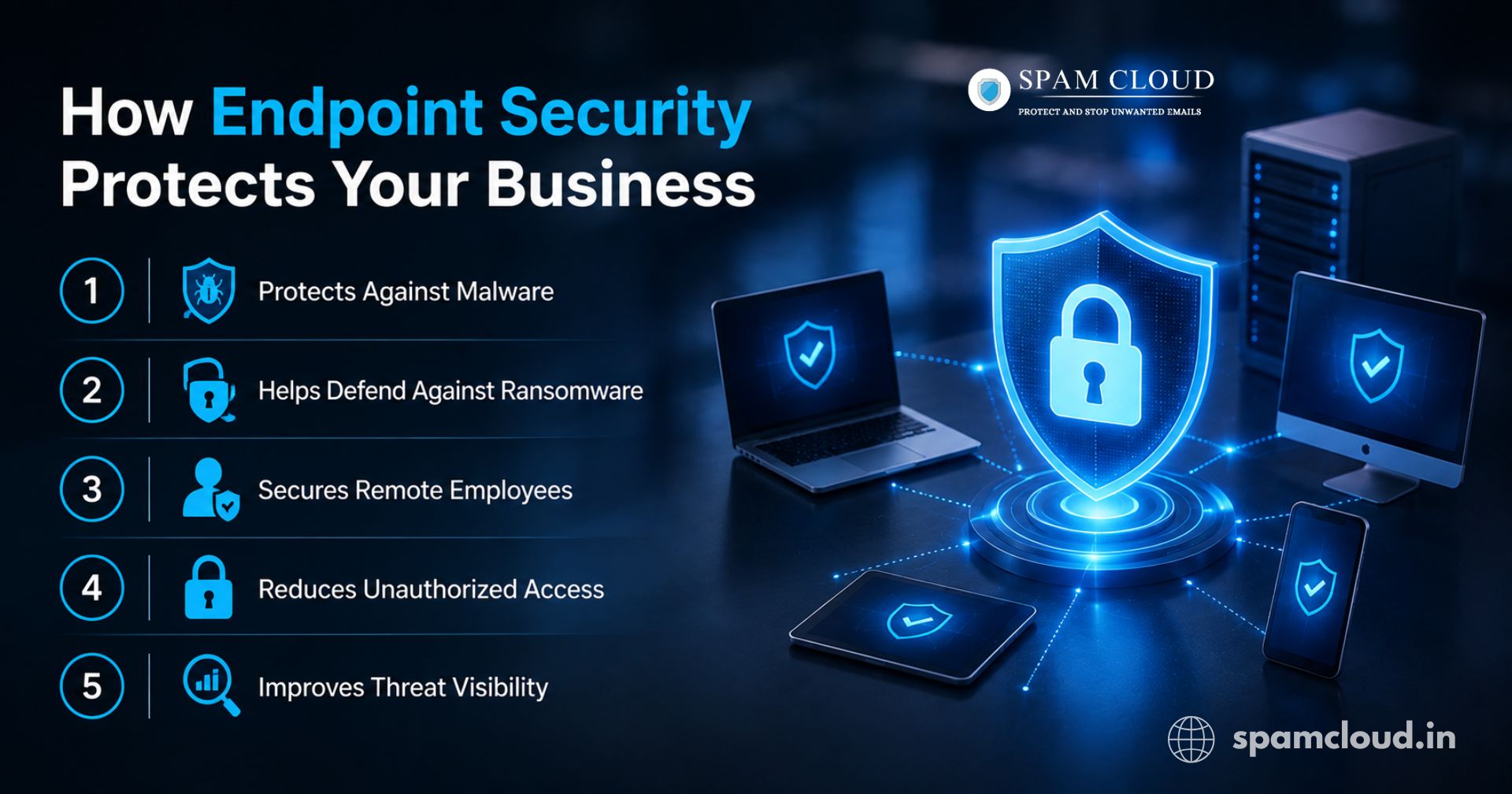
A well implemented endpoint security strategy can protect an organization in several important ways.
1. Protects Against Malware
Malicious software can steal information, disrupt systems, or provide attackers with unauthorized access. Endpoint protection helps identify and block suspicious files and processes.
2. Helps Defend Against Ransomware
Ransomware can encrypt critical business data and interrupt operations. Modern endpoint security tools can detect suspicious behavior associated with ransomware and initiate response actions.
3. Secures Remote Employees
Remote employees may connect from home networks or other locations outside the traditional corporate network. Endpoint security solutions help apply consistent protection regardless of where the device is being used.
4. Reduces Unauthorized Access
Security controls can help prevent unauthorized users, applications, and devices from accessing sensitive business resources.
5. Improves Threat Visibility
Centralized dashboards allow IT and security teams to monitor multiple endpoints and identify devices that may require attention.
Practical Example: How Endpoint Protection Can Stop an Attack
Imagine an employee receives a phishing email containing a malicious attachment.
The employee downloads the attachment.
The malicious file attempts to execute on the laptop.
The endpoint security platform analyzes the file and its behavior.
Suspicious activity is detected.
The security tool blocks or contains the threat.
The affected device can be investigated and isolated if necessary.
Security teams review the incident and take additional remediation steps.
This layered approach can help reduce the likelihood that a single compromised endpoint leads to a larger security incident.
Best Practices for Implementing Endpoint Security
Simply installing security software is not enough. Businesses should follow a broader security strategy.
1. Maintain an Accurate Device Inventory
Know which devices are accessing your business environment. Unmanaged or unknown devices can create security blind spots.
2. Keep Systems Updated
Regularly apply security patches and software updates to reduce exposure to known vulnerabilities.
3. Use Strong Access Controls
Implement strong passwords, multi-factor authentication, and the principle of least privilege wherever appropriate.
4. Monitor Endpoint Activity
Use endpoint security solutions that provide meaningful visibility into suspicious activity and security events.
5. Train Employees
Human error remains a major security risk. Employees should understand how to identify phishing attempts, suspicious links, and potentially malicious downloads.
6. Test Your Incident Response Plan
Your organization should know what to do when a device is compromised. Define responsibilities, communication procedures, containment steps, and recovery processes.
Common Endpoint Security Mistakes
Businesses should avoid these common mistakes:
• Relying only on traditional antivirus
• Failing to update operating systems and applications
• Ignoring remote and unmanaged devices
• Giving users unnecessary administrative privileges
• Not monitoring security alerts
• Using weak passwords
• Failing to implement multi factor authentication
• Having no documented incident response process
• Assuming that endpoint protection alone can secure the entire organization
Expert Tip: Endpoint protection is most effective when combined with other cybersecurity controls, including email security, identity and access management, network security, regular backups, and employee awareness training.
Pros and Cons of Endpoint Security
Pros | Considerations |
Protects devices from a wide range of threats | Advanced platforms may require skilled administration |
Improves visibility across endpoints | Costs can increase as the number of devices grows |
Supports remote and hybrid work | Incorrect configuration can reduce effectiveness |
Helps detect and respond to incidents | Security alerts require proper monitoring |
Centralizes endpoint management | No single tool can eliminate every cyber risk |
Choosing the Right Endpoint Security Solution
When evaluating endpoint security solutions, consider the following factors:
• Number and types of devices you need to protect
• Remote and hybrid workforce requirements
• Detection and response capabilities
• Centralized management features
• Integration with existing security tools
• Scalability
• Reporting and visibility
• Ease of deployment
• Support and managed security options
• Budget and licensing requirements
The best solution should align with your organization's risk profile rather than simply offering the largest number of features.
Protect Your Business with SpamCloud
Ready to strengthen your organization’s cybersecurity? SpamCloud provides security solutions designed to help businesses protect their digital environment against evolving cyber threats. Explore the right security approach for your organization and take proactive steps to protect your devices, data, and business operations. Learn more about effective cybersecurity solutions for your business.
Stay updated
Subscribe for new posts and insights.