
Your business email inbox may look normal, but not every message arriving there is safe. A single suspicious email can expose login credentials, introduce malware, or trick an employee into transferring money to the wrong account. As email remains an important part of daily business communication, protecting it requires more than simply moving unwanted messages into a junk folder.
A reliable spam protection solution helps businesses identify suspicious messages, filter unwanted communication and reduce exposure to email-based threats. With advanced email spam protection, organisations can maintain cleaner inboxes while strengthening their overall email security.
Is Your Inbox Safe, or Are Dangerous Emails Slipping Through?
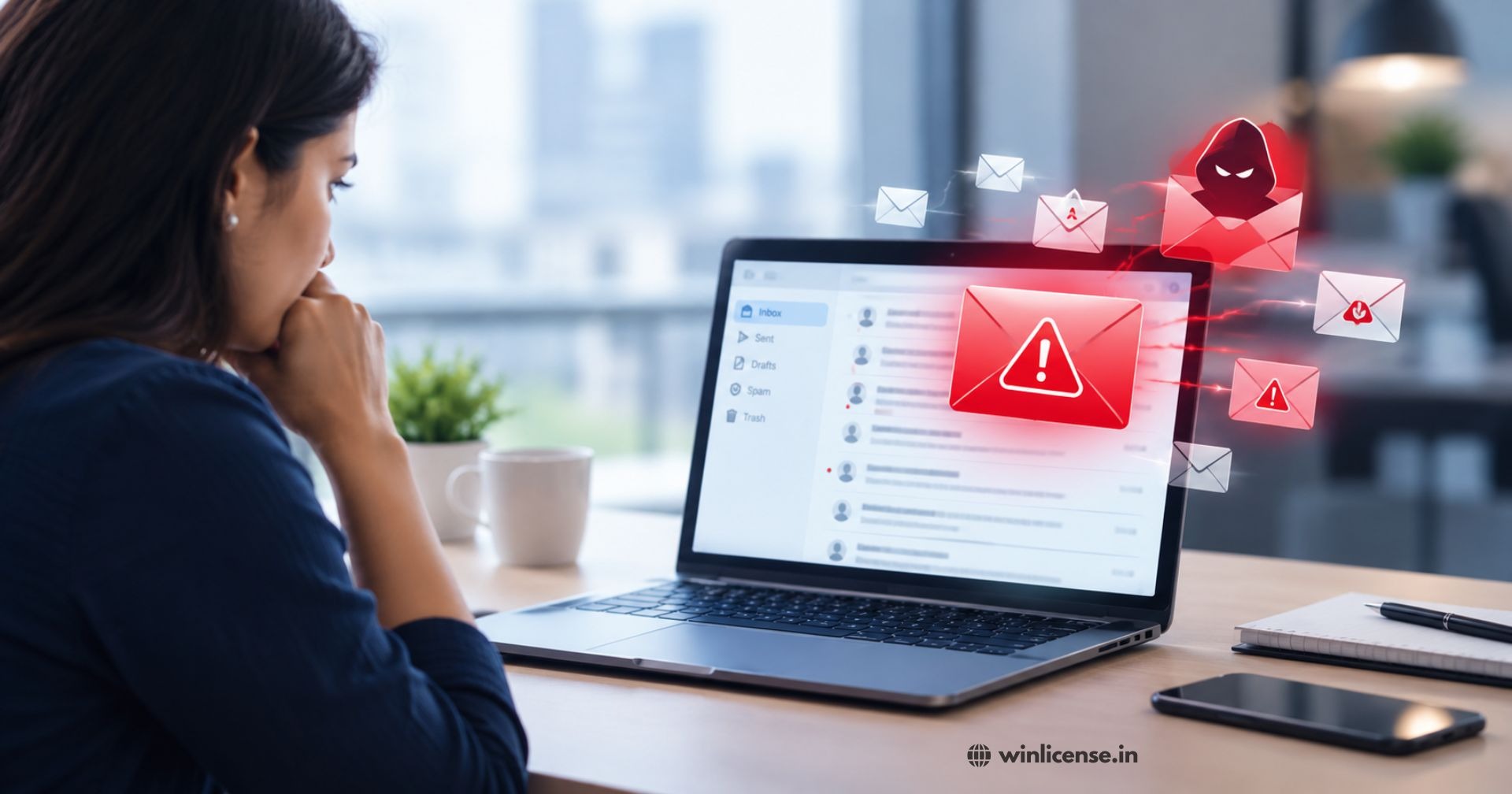
Receiving unwanted emails every day is frustrating, but the bigger concern is what those messages contain. Some look like ordinary business enquiries, while others imitate banks, suppliers, customers or trusted service providers.
Why Are You Receiving So Many Unwanted Emails Every Day?
Email addresses can be collected from websites, public directories, online registrations and data leaks. Spammers use these addresses to distribute promotional messages, fraudulent offers and malicious campaigns.
Without proper filtering, employees may spend valuable time identifying and deleting unwanted messages instead of focusing on their work.
How One Suspicious Email Can Put Your Business at Risk
An email containing a fraudulent payment request or malicious attachment can create serious problems. Employees might unknowingly share confidential information, download harmful files or visit unsafe websites. Effective spam protection reduces these risks by examining incoming messages before they reach employees.
Why Traditional Email Filters Fail to Catch Every Spam Message
Basic filters often depend on known spam patterns and sender information. However, attackers regularly change email addresses, message content, and website links.
Businesses need a more comprehensive approach that examines multiple aspects of an email rather than relying on a single detection method.
What Is Email Spam and Why Has It Become a Serious Security Problem?
Email spam refers to unsolicited messages sent to multiple recipients, often for advertising, fraud or malicious purposes. These messages are usually directed to the spam folder or junk mail folder instead of the primary inbox. Understanding what is spam folder and what is junk mail helps users identify unwanted emails and distinguish harmless promotional messages from potentially dangerous communication. While some spam messages are simply unwanted promotions, others are designed to steal information or compromise business systems.
What Makes an Email Spam?
Common characteristics include:
Unexpected promotional offers and bulk messages.
Unknown senders requesting personal information.
Suspicious links or unusual attachments.
Repeated messages from questionable sources.
Misleading subject lines and sender identities.
Not every unfamiliar email is dangerous. That is why filtering systems must distinguish legitimate communication from suspicious activity.
How Spam Emails Differ from Phishing and Malicious Emails
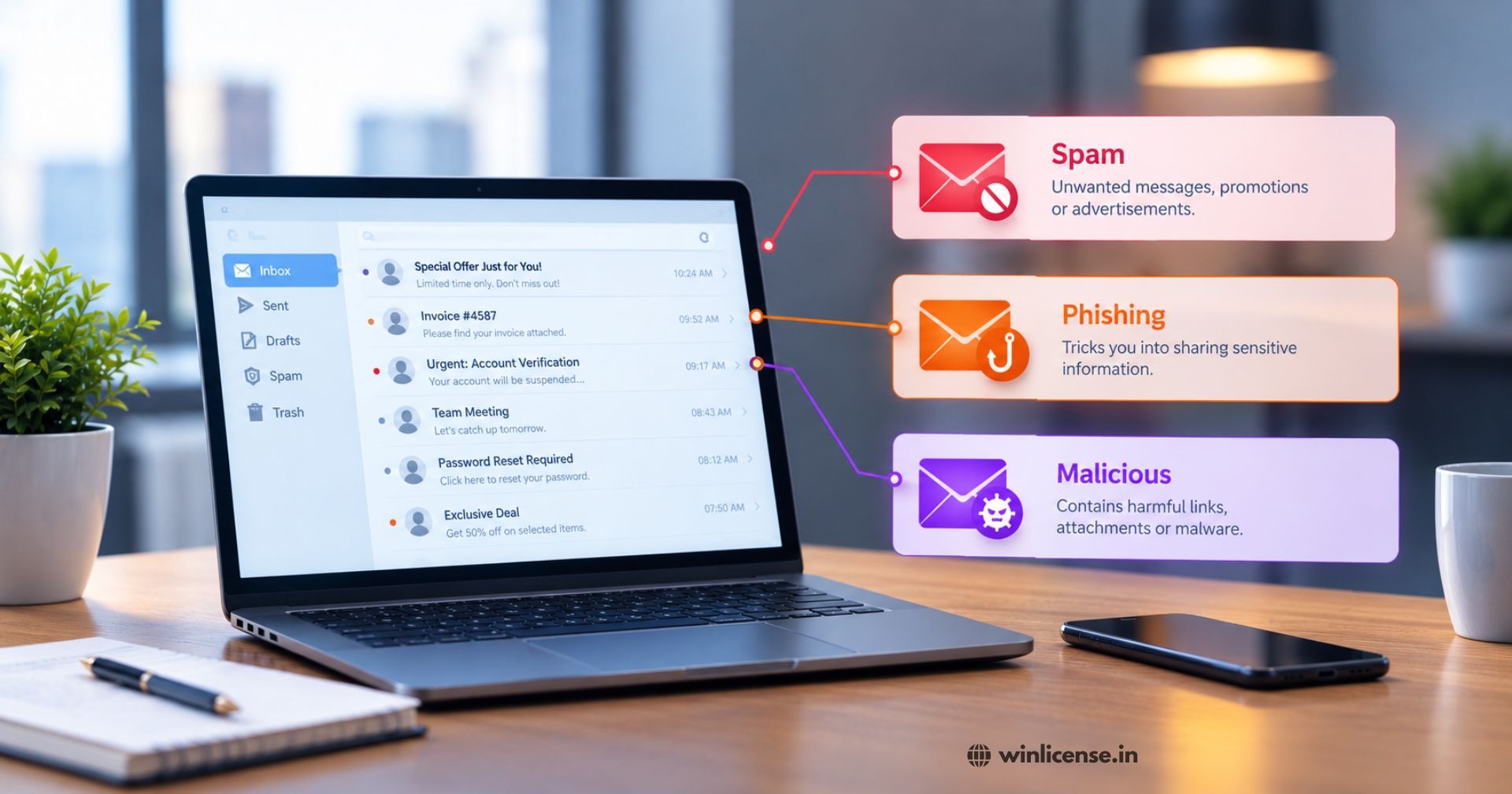
Spam generally refers to unwanted messages. Phishing attempts are designed to deceive recipients into sharing sensitive information, while malicious emails may contain harmful attachments or links.
Understanding these differences helps businesses choose suitable email security measures.
How Spam Emails Affect Business Productivity and Data Security
A crowded inbox makes important messages harder to identify. Employees may overlook customer enquiries, waste time sorting unwanted communication or accidentally interact with dangerous content.
A suitable email spam protection system helps reduce unnecessary email traffic and supports a more organised working environment.
How Do Spam Emails Reach Your Inbox?
Understanding how unwanted messages enter your email system is an important step towards preventing them.
How Do Spammers Find and Collect Business Email Addresses?
Public business websites, online forms and exposed contact details can become sources for automated email collection. Attackers may also use previously leaked email databases to distribute unwanted messages.
How Email Spoofing Makes Fake Senders Look Genuine
Email spoofing involves manipulating sender information to make a message appear as though it came from a trusted organisation. Employees may mistake these messages for genuine communication unless appropriate security checks are in place.
How Phishing Emails Trick Employees into Revealing Sensitive Information
Fraudulent emails often create urgency through password reset requests, payment notifications or account warnings. Understanding what is the phishing attack is helps businesses recognise how cybercriminals manipulate recipients into sharing sensitive information or clicking malicious links. Knowing how to protect business email is equally important, as verifying senders, avoiding suspicious attachments, and using advanced email filtering can reduce the risk of phishing attempts.
How Malicious Attachments and Links Spread Through Email
Unexpected documents, compressed files and suspicious website links can introduce malware or direct users to fraudulent websites. Attachment and URL scanning can help identify these threats before users interact with them.
How Does Email Spam Filtering Work Behind the Scenes?
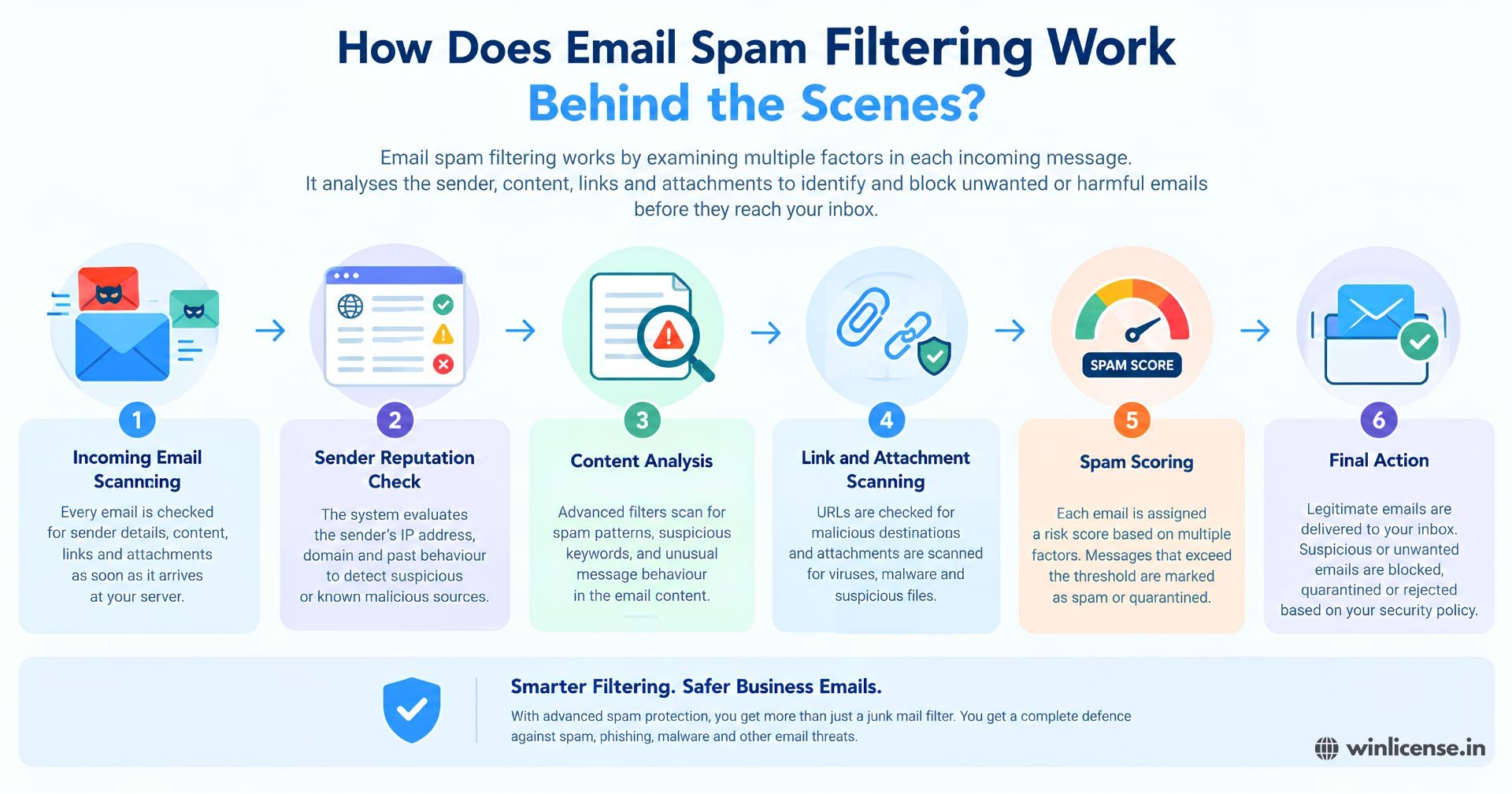
An advanced filtering system examines different parts of an incoming message to determine whether it should be delivered, quarantined or blocked.
How Spam Filters Analyse Incoming Emails
Filtering systems inspect sender details, message headers, content, attachments and other available indicators. Multiple checks help identify messages that appear suspicious.
SpamCloud provides an incoming spam filtering solution designed to identify unwanted emails, phishing attempts and malware before they reach the business network.
How Sender Reputation Helps Identify Suspicious Emails
Sender reputation provides information about the reliability of an email source. Messages originating from suspicious or poorly reputed sources may receive additional scrutiny during filtering.
How Content Filtering Detects Spam Words and Suspicious Patterns
Content filtering examines message text, subject lines and unusual patterns. Administrators can also configure filtering policies based on their organisation's requirements.
How SPF, DKIM and DMARC Support Email Authentication
These three email authentication standards help verify whether messages are authorised to use a particular domain.
SPF identifies authorised sending mail servers.
DKIM uses digital signatures to help verify message authenticity.
DMARC provides domain owners with policies for handling authentication failures.
Together, they strengthen protection against email impersonation and spoofing.
What Features Should You Look for in an Advanced Spam Protection Service?
Choosing a service involves more than checking how many unwanted messages it blocks. Businesses should consider the security controls, administrative features and email management capabilities available.
Real Time Spam Detection and Email Filtering
A good filtering system should examine incoming messages and identify suspicious activity using multiple detection techniques.
Advanced Phishing and Malware Protection
Look for protection against fraudulent links, suspicious attachments, viruses and ransomware threats.
Email Quarantine and Message Recovery
Quarantine management allows administrators to review messages identified as suspicious. SpamCloud also provides management options for quarantined messages, helping users handle legitimate messages that may have been incorrectly classified.
Customisable Filtering Rules and Sender Management
Businesses may need different filtering policies for different departments or users. Whitelists, blacklists and content filtering controls help administrators manage these requirements.
For a broader overview of its filtering capabilities and security approach, visit SpamCloud's email security solutions.
Basic Email Spam Filtering vs Advanced Spam Protection: What's the Difference?
Basic filtering mainly focuses on identifying unwanted messages using predefined rules. Advanced solutions provide additional security checks and administrative controls.
Basic Email Filtering | Advanced Spam Protection |
Identifies common spam patterns | Uses multiple detection techniques |
Provides basic sender filtering | Includes sender and domain reputation checks |
Limited security controls | Supports additional threat detection |
Basic message management | Offers quarantine and reporting controls |
Limited visibility | Provides administrative monitoring |
The right solution depends on your email environment, security requirements and business communication needs.
How to Choose the Right Spam Protection Service for Your Business
Before selecting a provider, evaluate how its service fits your existing email infrastructure.
Check Compatibility With Your Existing Email Platform
Confirm that the filtering service supports your current mail server and email environment. Integration should not unnecessarily interrupt daily communication.
Evaluate Threat Detection and Administrative Controls
Check whether the provider offers spam detection, malware scanning, quarantine management, sender filtering and useful reporting features.
Consider Scalability as Your Business Grows
Your requirements may change as you add employees, email accounts and business domains. Choose a service that can accommodate your future needs.
Review Provider Experience and Technical Support
Look for clear service information, accessible technical assistance and relevant experience in email security. You can also review SpamCloud's background and email security expertise.
Best Practices to Reduce Spam and Strengthen Email Security
Technology works best when supported by sensible email practices.
Avoid publishing employee email addresses unnecessarily.
Train employees to identify suspicious senders and unexpected attachments.
Enable multi factor authentication for business email accounts.
Configure SPF, DKIM and DMARC records correctly.
Keep email filtering policies updated.
Review quarantined messages regularly.
Avoid clicking unfamiliar links or downloading unexpected attachments.
These practices strengthen your overall anti spam protection approach and help employees handle suspicious communication more carefully.
Secure Every Business Email Before Threats Reach Your Inbox
Protect your business communication with reliable email filtering and advanced threat detection. SpamCloud helps businesses reduce unwanted emails, identify suspicious messages and manage email security through incoming and outgoing filtering solutions.
Ready to strengthen your email security? Contact the SpamCloud team today to discuss your requirements and find the right spam protection solution for your business.
Stay updated
Subscribe for new posts and insights.